Case Study · UX/UI Design
Designing a Better Museum Visit Experience
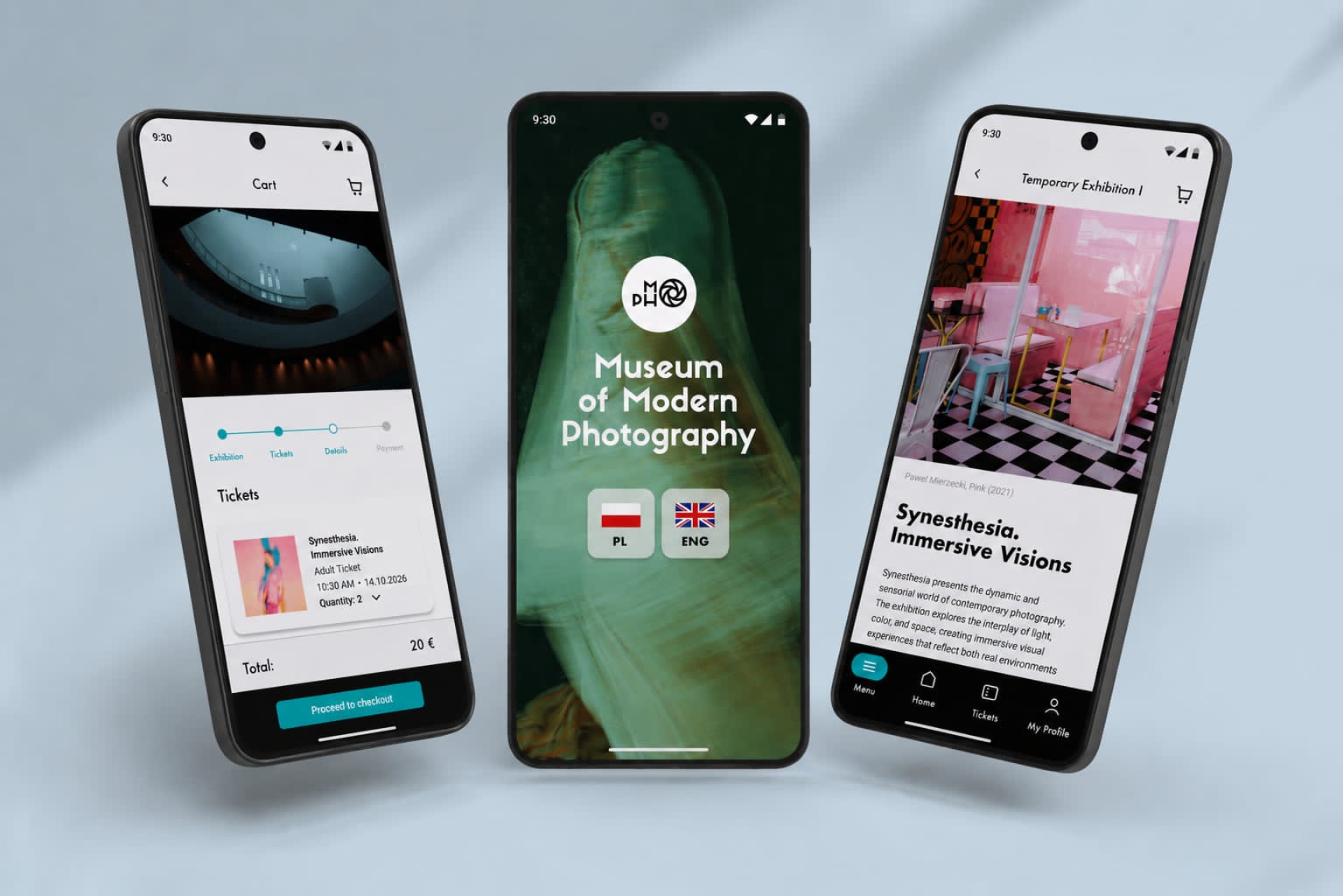
A mobile app designed to simplify museum visit planning, reducing friction in ticket booking and improving clarity for first-time visitors.
Overview
Problem & Goal
Understanding key challenges in the booking experience and defining a clear design direction.
Problem
- Hard to plan visit
- Confusing booking
- Information overload
Goal
- Simplify booking
- Improve clarity
- Reduce decision time
Research
Understanding user behavior, needs, and key pain points
Goals
The research phase aimed to understand how users plan museum visits, what challenges they encounter throughout the process, and which digital features could improve accessibility, orientation, and engagement within a museum context.
Understand how users discover and plan visits
Identify key pain points in information and booking
Explore differences between user groups
Define opportunities for a simpler, accessible experience
Secondary research
Reviewing existing solutions and industry patterns
Age
Museum visitors represent a wide age range, with the largest group between 18–34. Younger users expect intuitive and mobile-first experiences.
- 18–23 yo35%
- 35–54 yo25%
- under 18 yo20%
- 55+ yo20%
Based on demographic data from GUS, NIMOZ, and Eurostat, combined with general visitor trends observed in the cultural sector.
Visitor types
Museum audiences include diverse groups with different needs, from tourists to educators and families.
- tourists35%
- families25%
- art enthusiast25%
- educators & school groups15%
Based on secondary data (GUS, NIMOZ, Eurostat) and synthesized behavioral patterns from publicly available research on museum visitors.
Behaviors
Museum visits are usually planned in advance and focused on practical details. The process feels more like a task than an experience.
in advance
exhibitions, tickets, hours
Primary source of info
Research Highlights
Key findings that shaped the design decisions.
Key insights
- Information is scattered and hard to navigate
- Users rely on websites rather than apps
- Planning requires effort and multiple steps
- Needs vary depending on the visitor type
Key user types
Representing key user groups with different needs and motivations

Art enthusiast
Frequent museum visitor seeking inspiration
Regularly visits museums to stay inspired and up to date with cultural events.
Needs easy access to exhibitions and a centralized source of curated content.

Tourist
Short-term visitor planning on the go
Visits the city for a short time and relies on his phone to quickly plan activities.
Needs fast, clear access to essential information in English and a simple booking process.
Educator
Organizing structured group visits for students
Plans museum visits for students and requires a structured and predictable process.
Needs clear information and dedicated tools for group bookings.

Family
Planning simple and engaging experiences for children
Visit museums with their child and look for engaging, family-friendly experiences.
Need simple planning and clear information to avoid unnecessary effort.
User journey
This journey illustrates how users currently plan and book a museum visit, highlighting key friction points in the process.
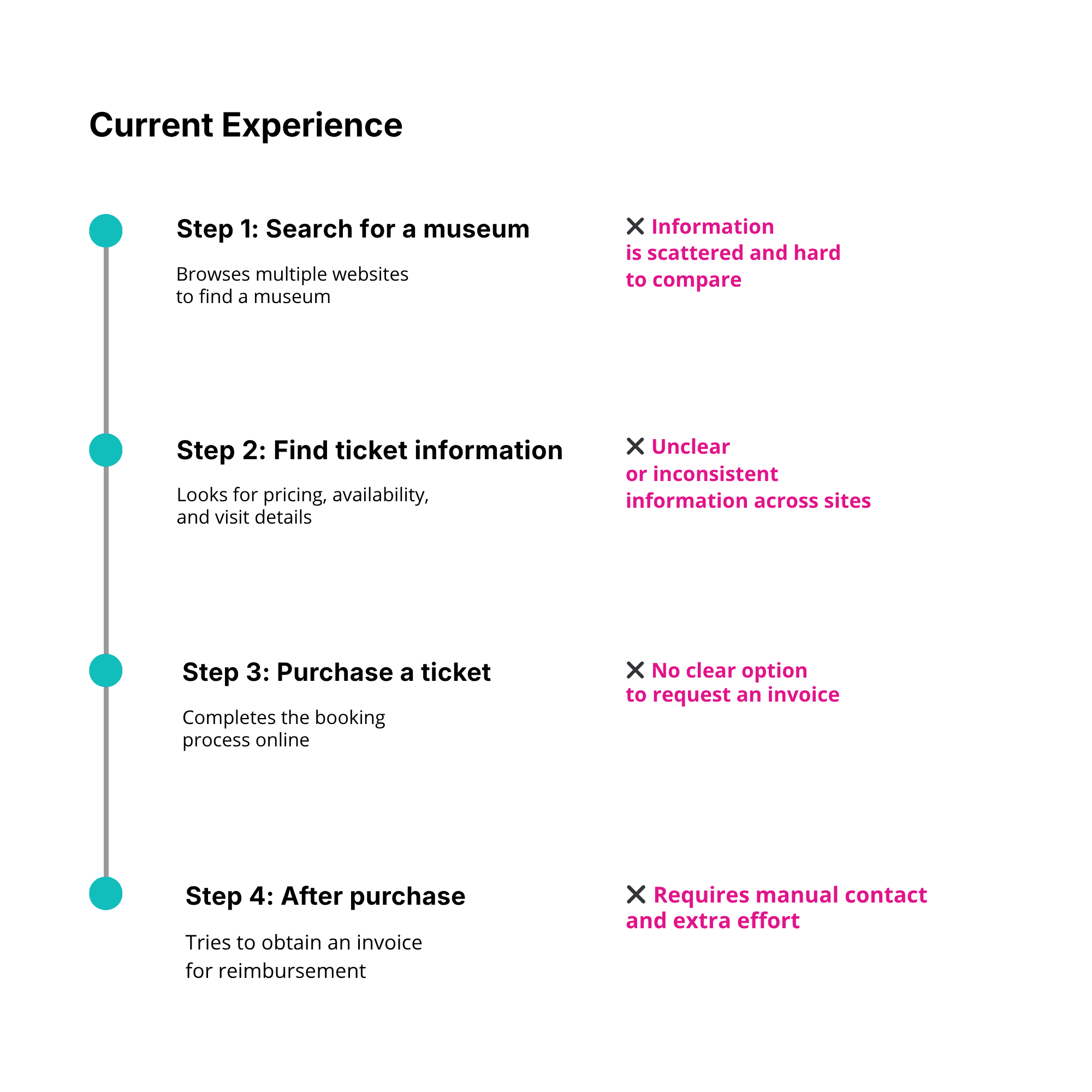
Where the current flow breaks down
Key Pain Points
- Information is scattered across platforms
- Lack of pricing clarity
- No seamless invoice option
- Manual post-purchase process
Solution
Simplifying the booking process and enabling a seamless invoice request experience
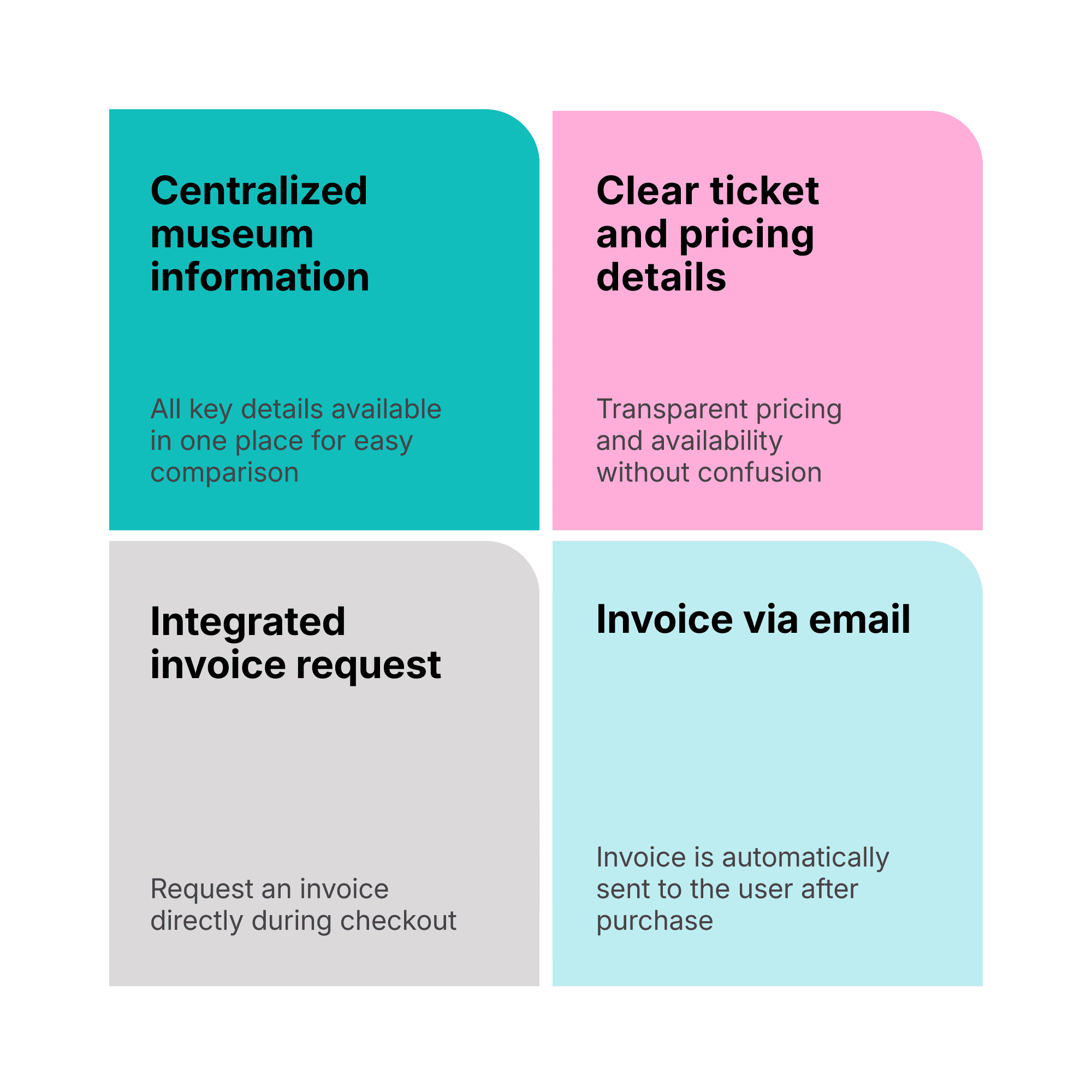
Addressing Key Pain Points
User Flow
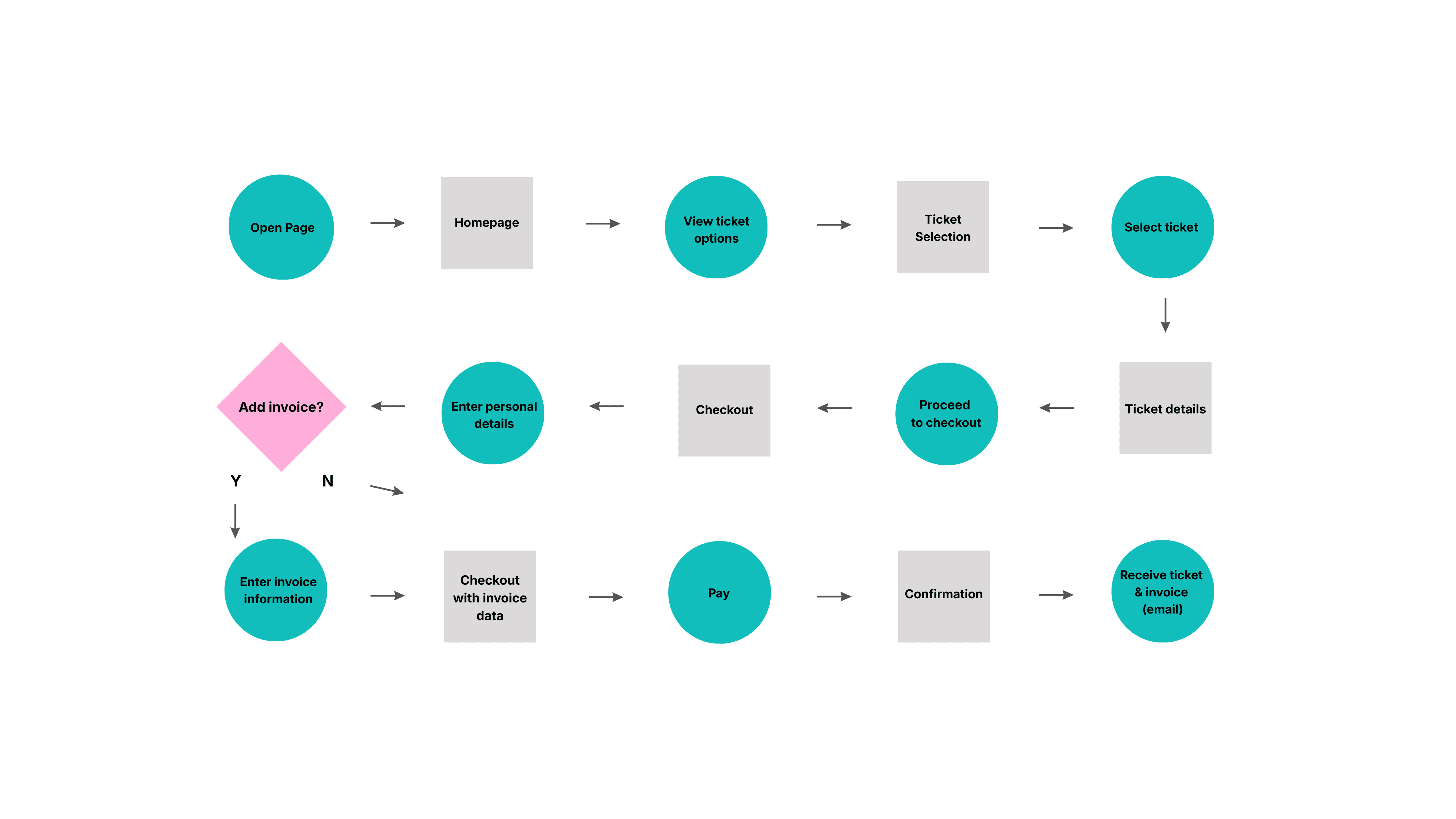
The flow below illustrates how users can easily book a ticket and request an invoice within a simplified process.
Wireframes
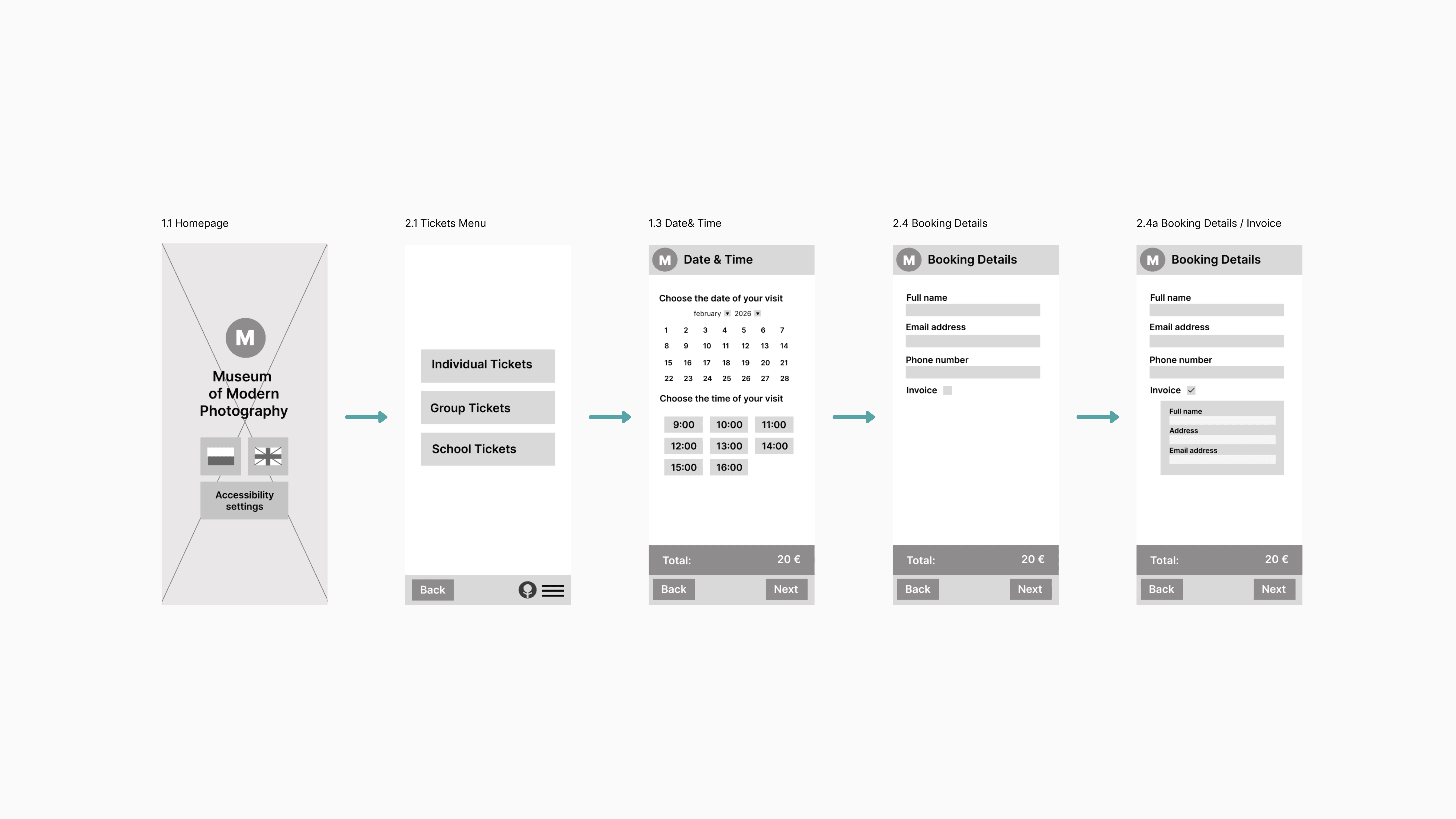
Early structure of the booking flow focusing on clarity and key user actions.
Final Design
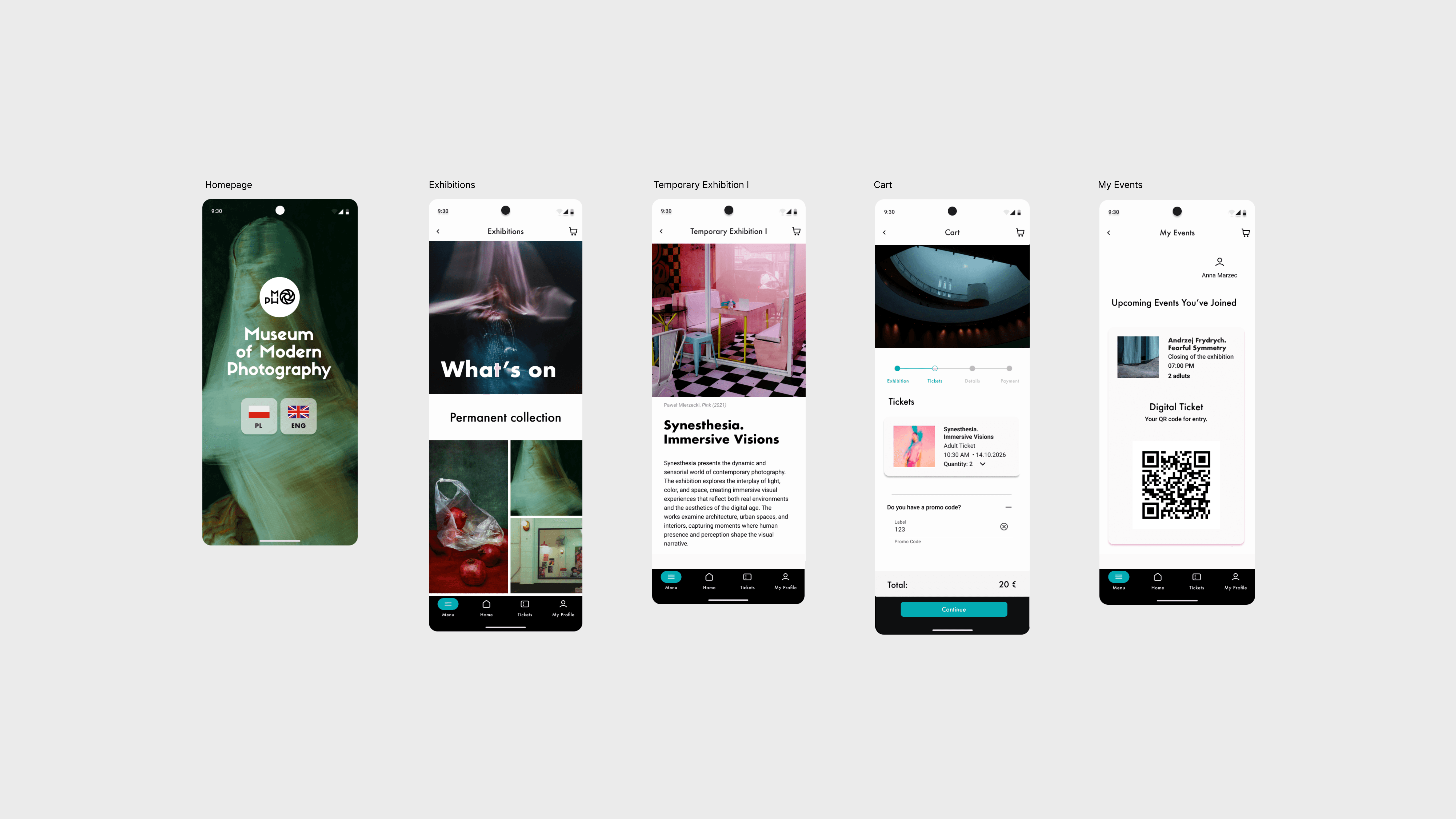
A cohesive museum experience combining a streamlined booking flow with a clear and engaging interface.
Booking Flow — Ticket Booking Flow
Selected screens from the booking process are shown below to highlight key interactions.
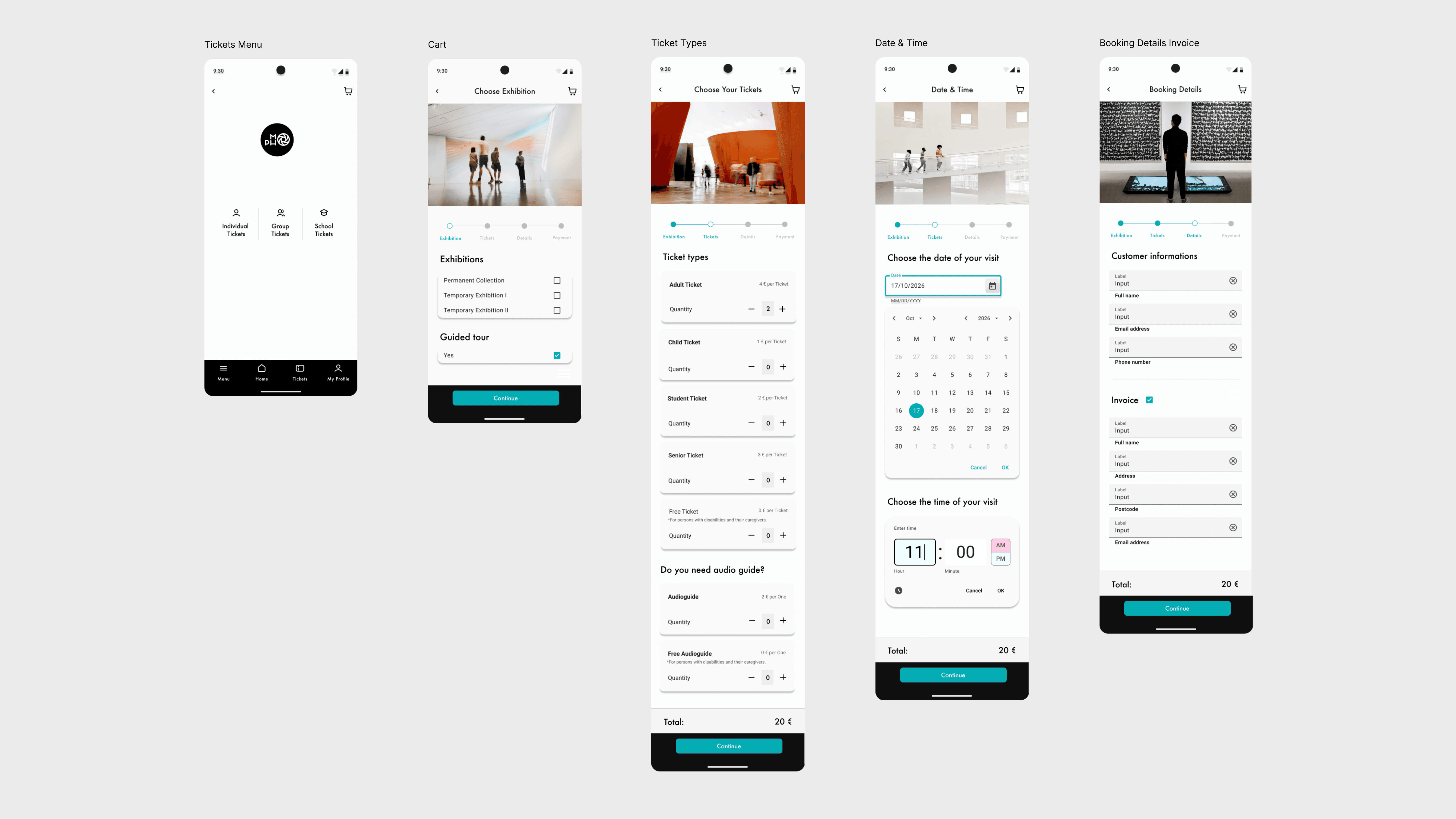
Visual Design — Additional Screens
Design System
Defining what needs to be lear
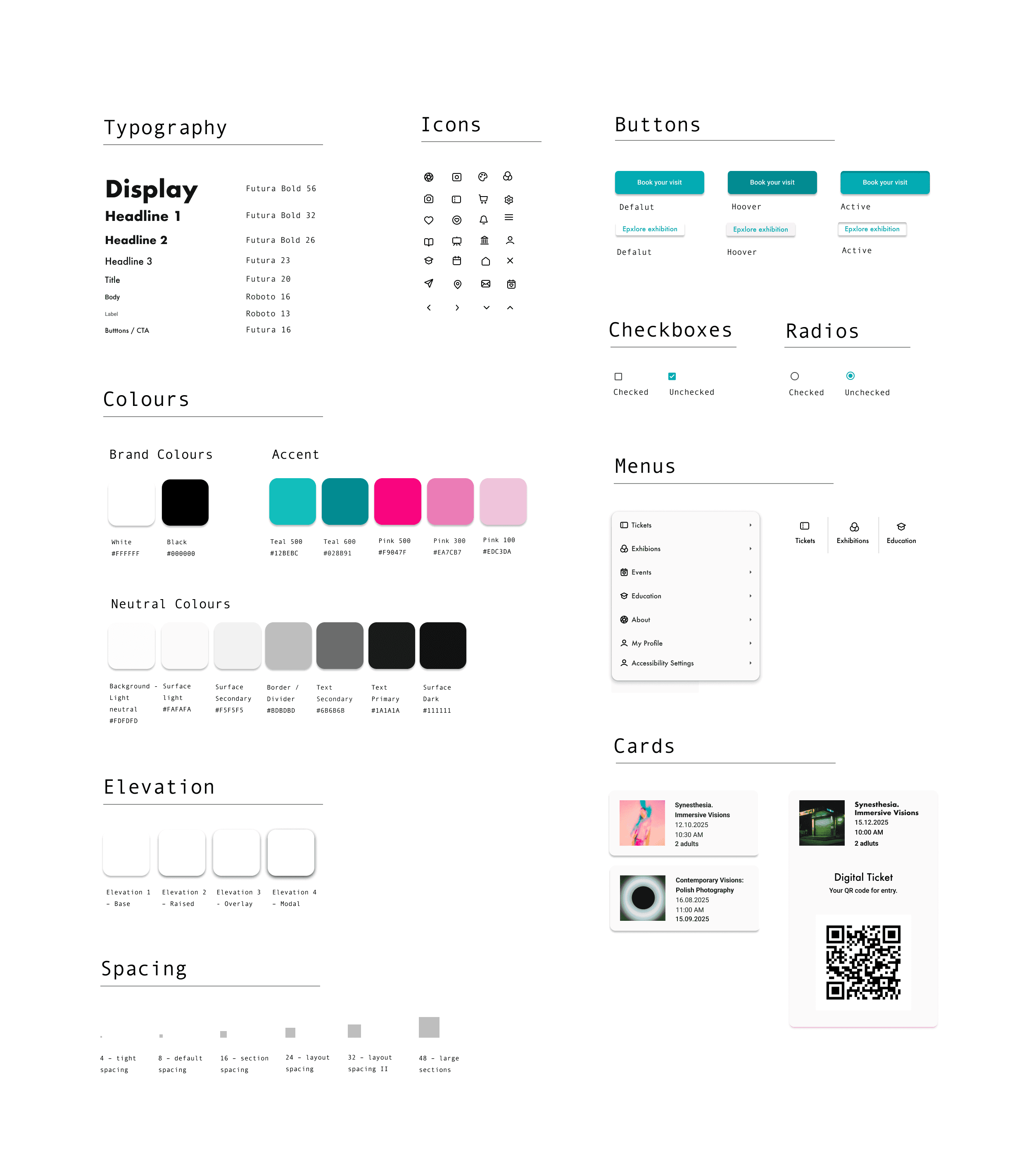
A lightweight design system created to ensure visual consistency across the app and streamline the development of key features such as ticket booking and content browsing.
The visual language combines a minimal neutral base with a vibrant accent palette, allowing content to remain the focal point while guiding user attention through key interactions.
The system was designed as a scalable foundation rather than a full component library.
Design decisions
• Teal was used as a primary action color to create clear interaction cues
• Pink accents introduce contrast and highlight temporary or dynamic content
• A geometric typeface was chosen for headlines to reflect a contemporary, gallery-like aesthetic
Key Features
Key functionalities designed to improve user experience and simplify the museum visit
Clear navigation structure
Users can easily move between exhibitions, tickets, and events with a simplified bottom navigation and consistent hierarchy.
Seamless ticket purchase
The booking flow is reduced to a few steps, minimizing friction and making the process intuitive.
Personalized experience
Users can access their events and tickets in one place, improving usability and clarity.
Visual storytelling
The UI highlights photography through large imagery and minimal distractions.
Prototype
An interactive prototype was created to simulate the booking experience and key user flows — Open prototype
Accessibility & Inclusive Design
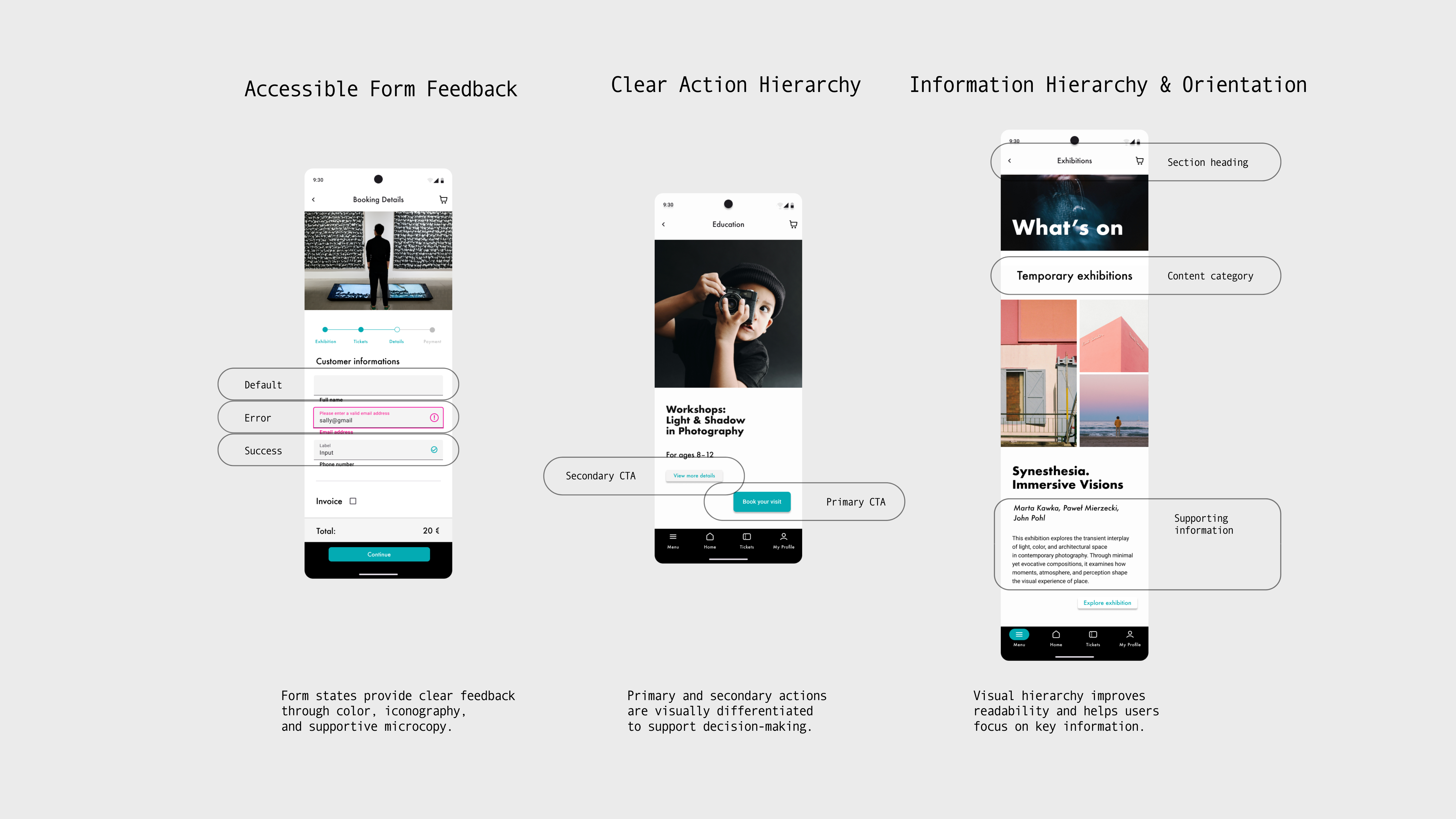
The interface was designed with accessibility and inclusive design principles in mind, focusing on readability, clarity, and intuitive mobile navigation.
Particular attention was given to reducing cognitive load and supporting users with different levels of digital confidence. Clear visual hierarchy, consistent spacing, predictable interaction patterns, and supportive microcopy help users navigate the experience with confidence.
Accessibility considerations included:
• improving color contrast and visual hierarchy to enhance readability,
• simplifying navigation and reducing cognitive load,
• designing clear interaction states and touch-friendly tap targets,
• maintaining consistent information architecture across screens,
• using concise microcopy to improve orientation and feedback,
• applying WCAG-informed design principles throughout the design process.
Testing & Iteration
Improving clarity and reducing friction in the booking experience
The study revealed several usability issues, particularly around navigation, ticket selection, and checkout progression. The following iterations were introduced to improve clarity, reduce cognitive load, and create a more intuitive experience.
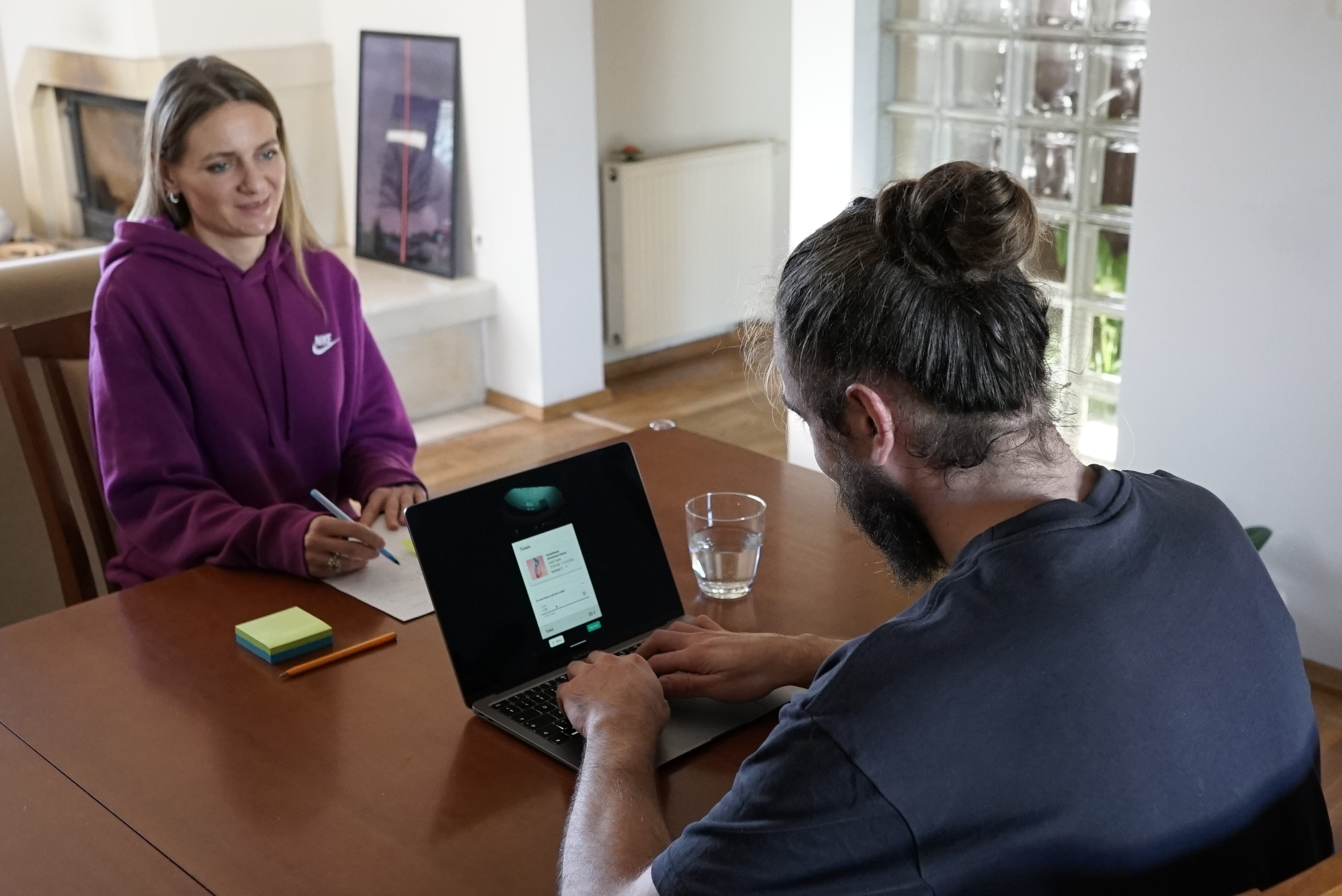
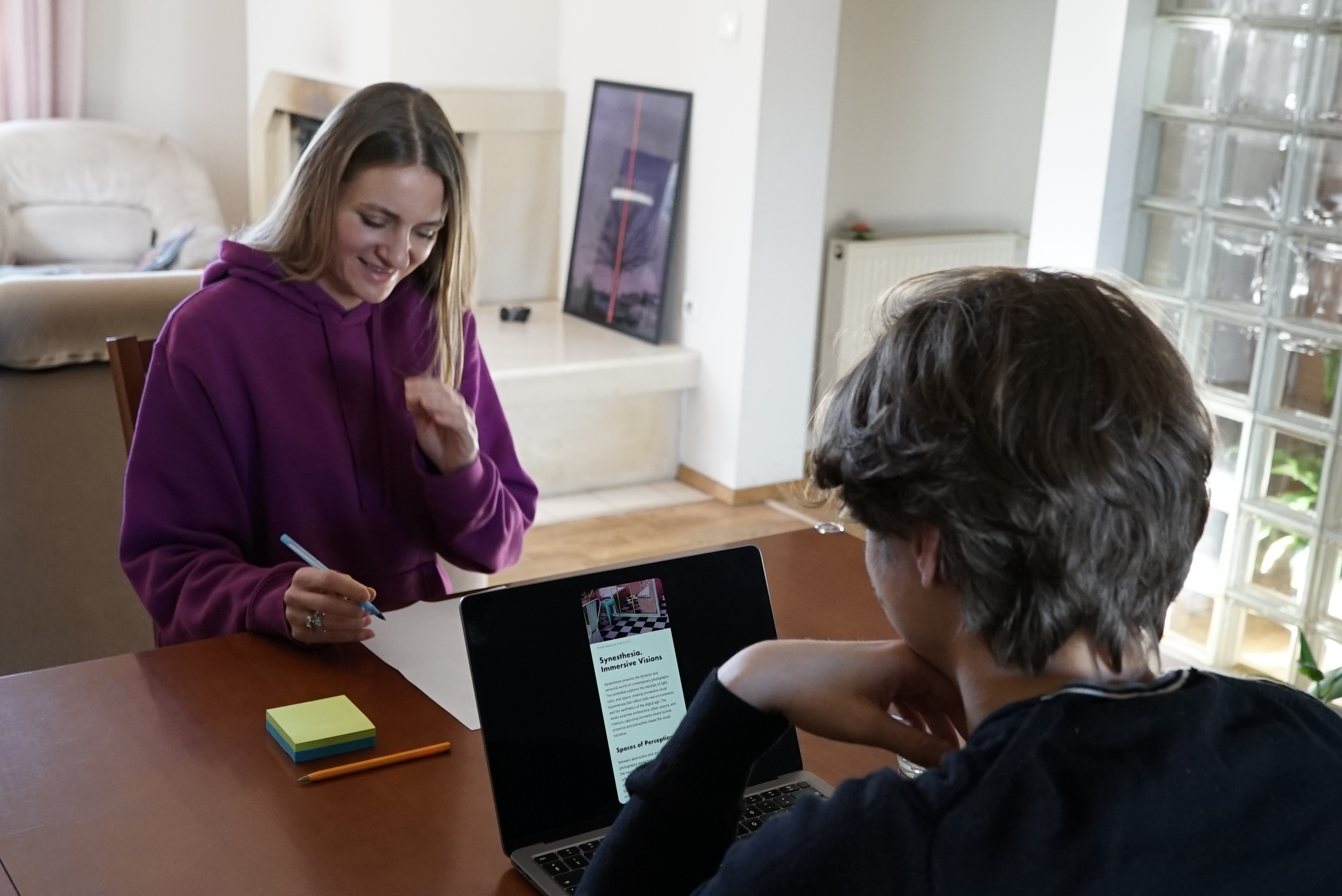
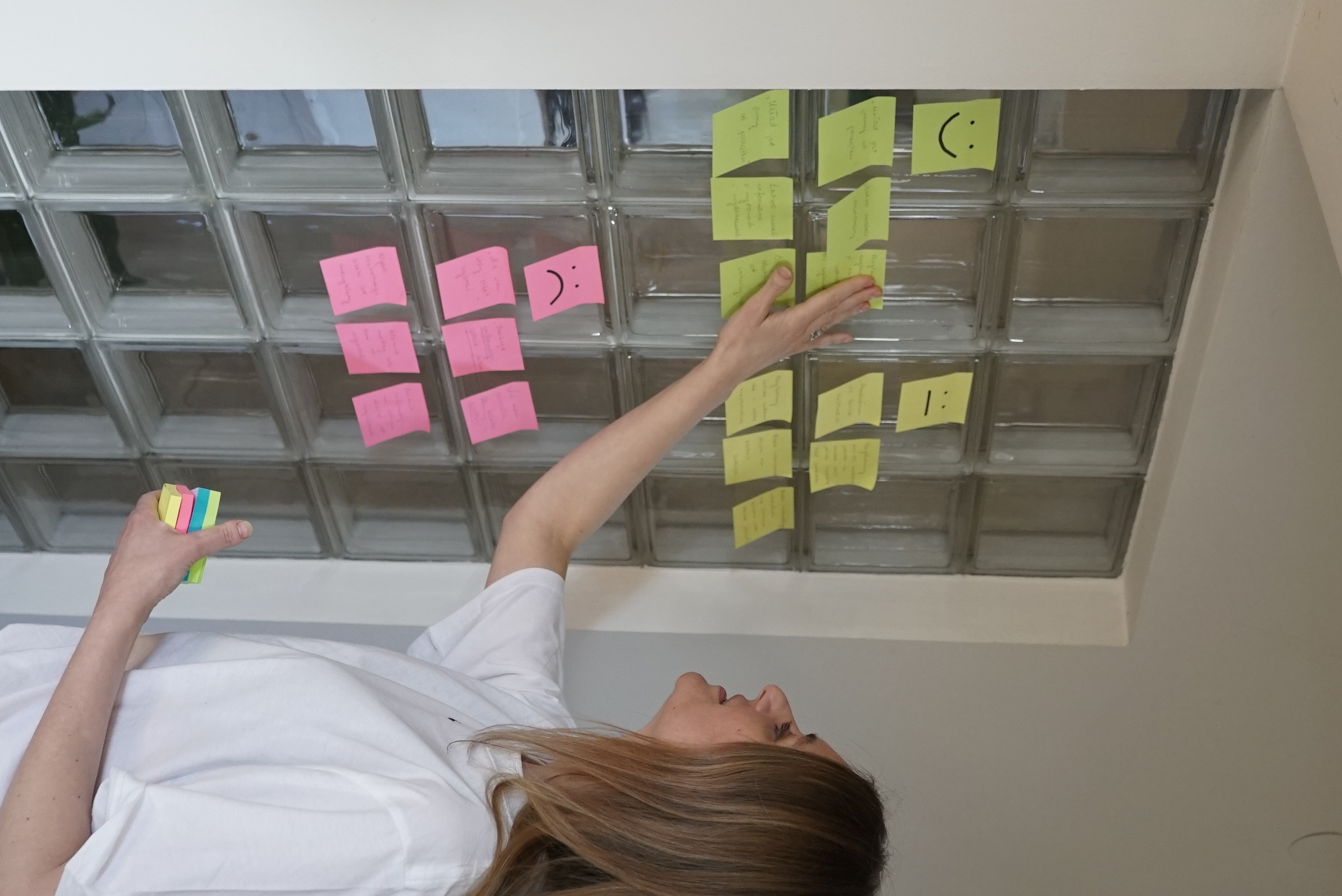
Usability study & key findings
Navigation hierarchy was unclear
3 out of 5 participants struggled to distinguish between exhibitions and artist-related sections, which caused confusion during navigation.3 out of 5 participants struggled to distinguish between exhibitions and artist-related sections, which caused confusion during navigation.
Exhibition preview lacked sufficient context
During testing, several participants hesitated before selecting exhibitions because they felt they did not have enough information to confidently decide which event to explore. To address this, an additional info option was introduced, allowing users to quickly access a short exhibition description without leaving the browsing flow.
Homepage contained too much information
Users focused mainly on discovering artworks and exhibitions, while the additional “current exhibitions” section distracted attention from the primary browsing experience.
Ticket purchase flow lacked clarity
Participants hesitated during checkout because the CTA buttons felt visually understated and the wording was too generic. Labels such as “Next” did not clearly communicate the result of each action.
Iterative process
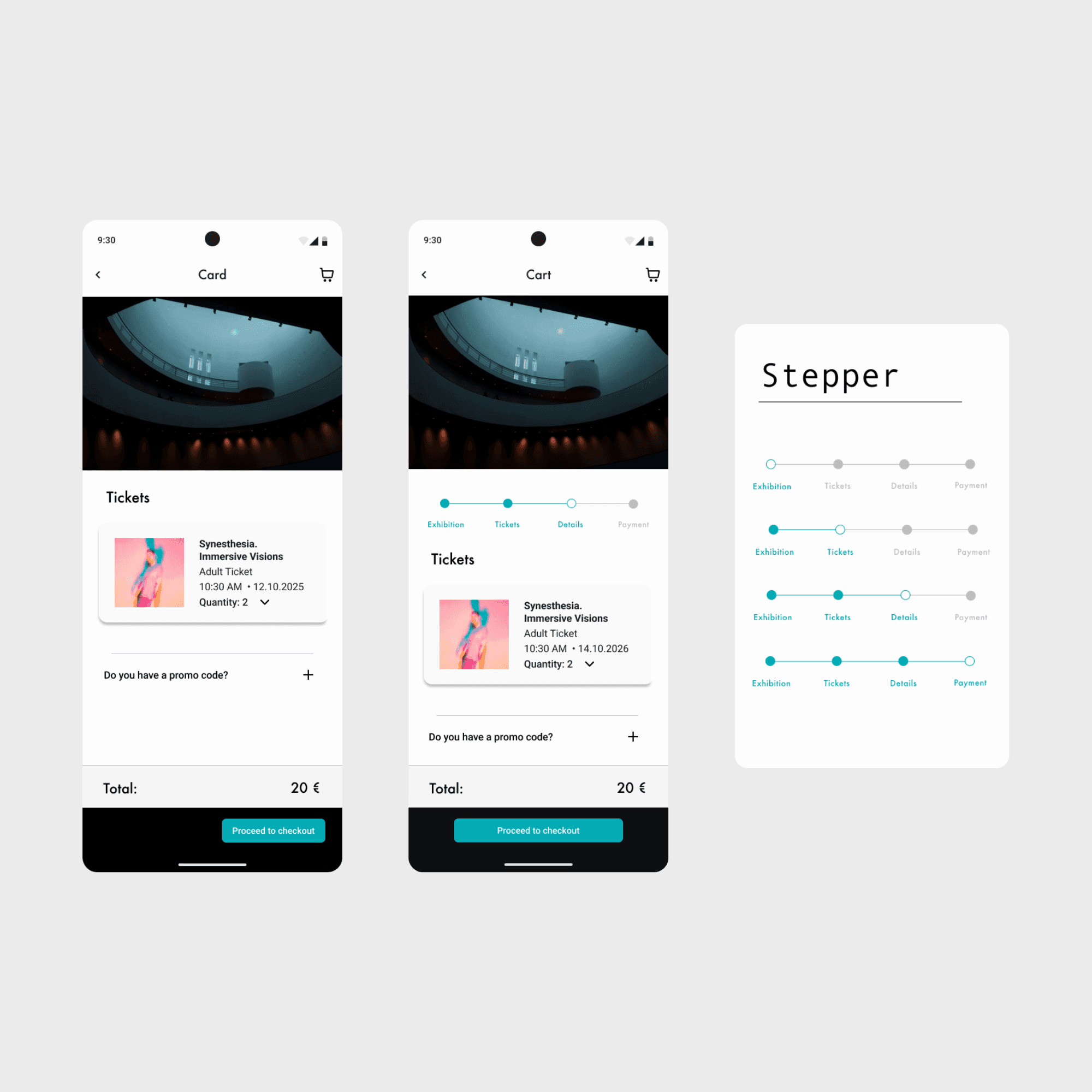
Stepper
Users were unsure about their progress during the booking process. A step indicator was introduced to clearly communicate the current stage and remaining steps, improving orientation and reducing uncertainty.
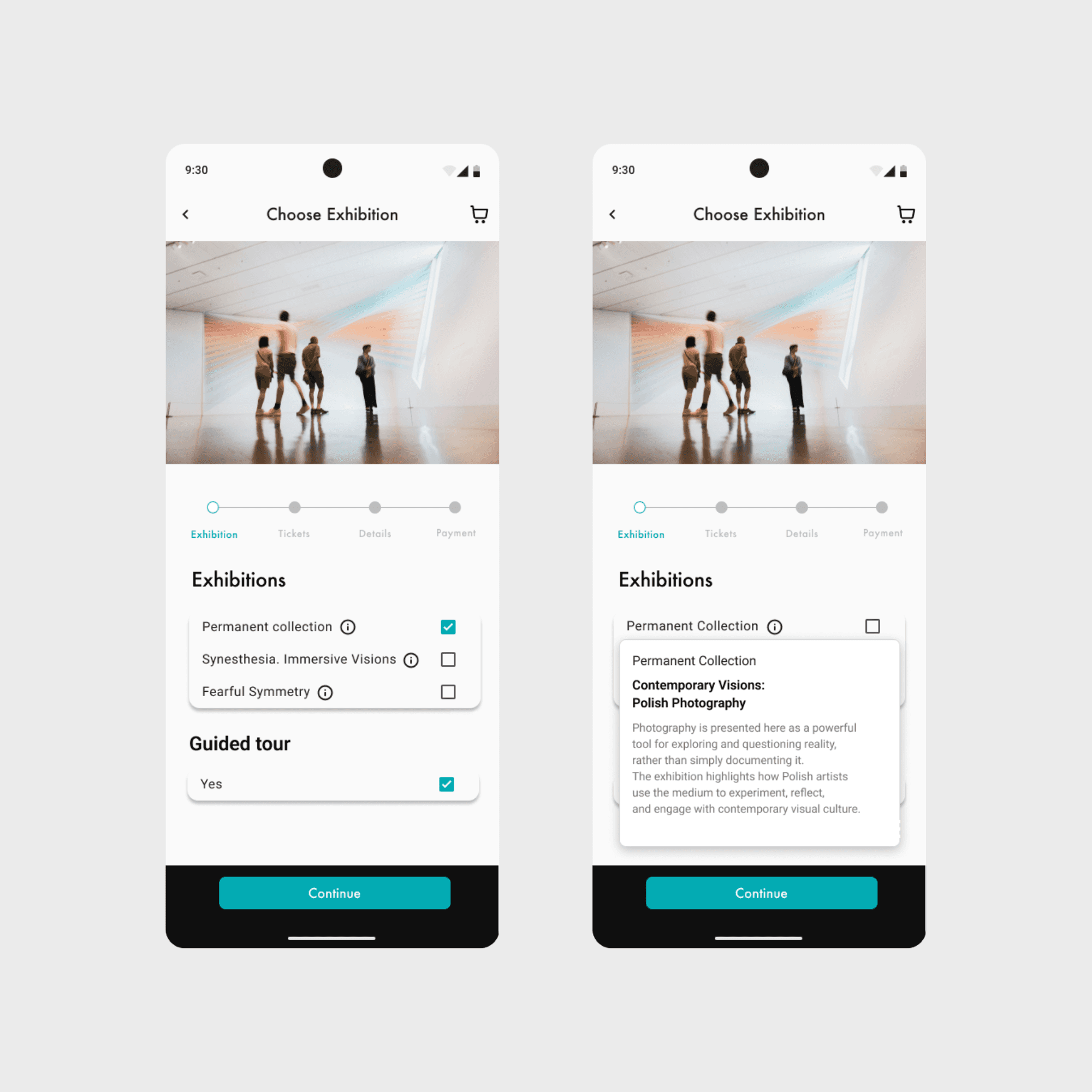
Exhibition Preview Before Selection
Users needed more context before choosing an exhibition. An additional info option was introduced, allowing them to quickly access a short description and better understand what they are selecting without leaving the flow.
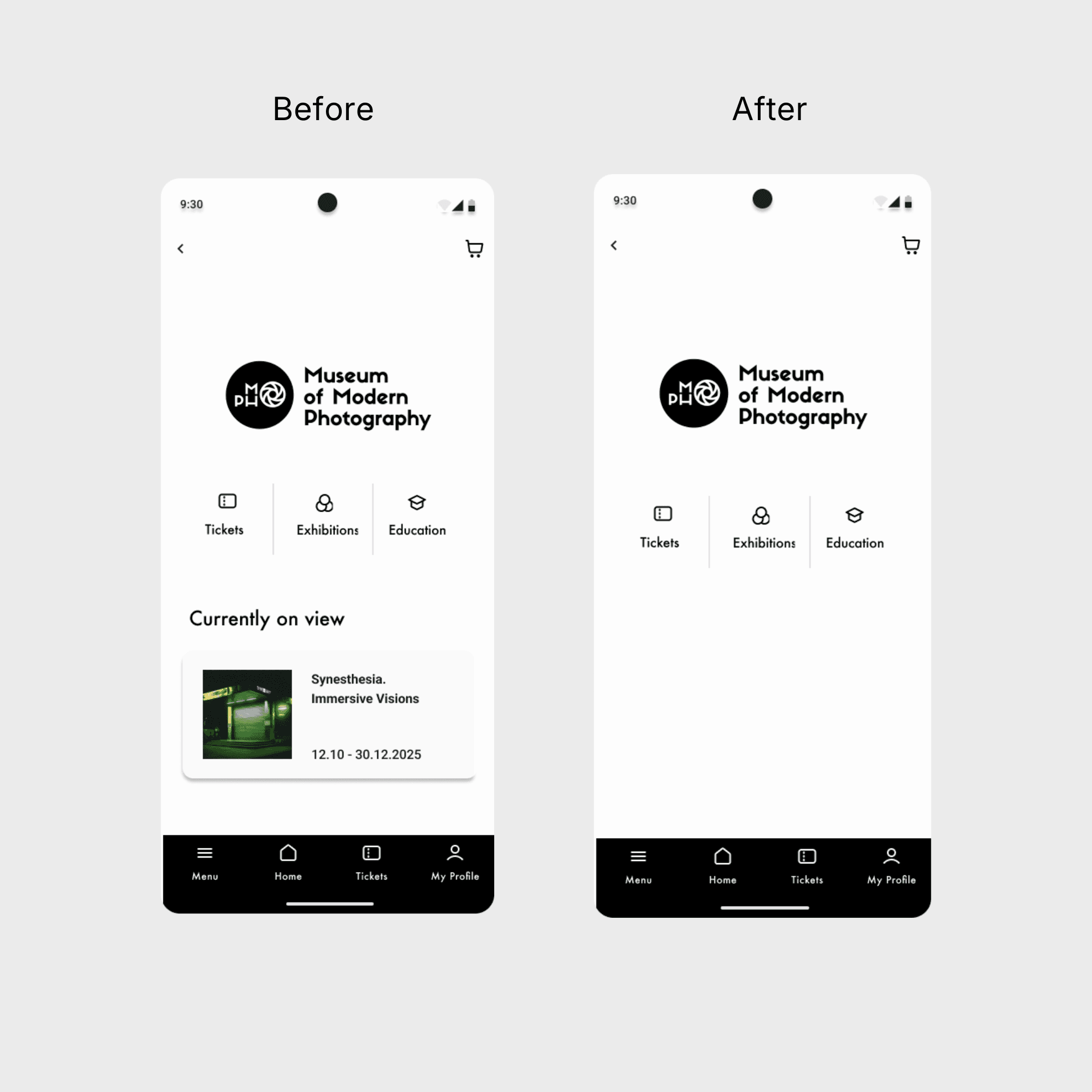
Navigation simplification
The initial navigation structure was unclear and overloaded with options. It was simplified to three primary sections, making it easier for users to explore exhibitions, events, and tickets.
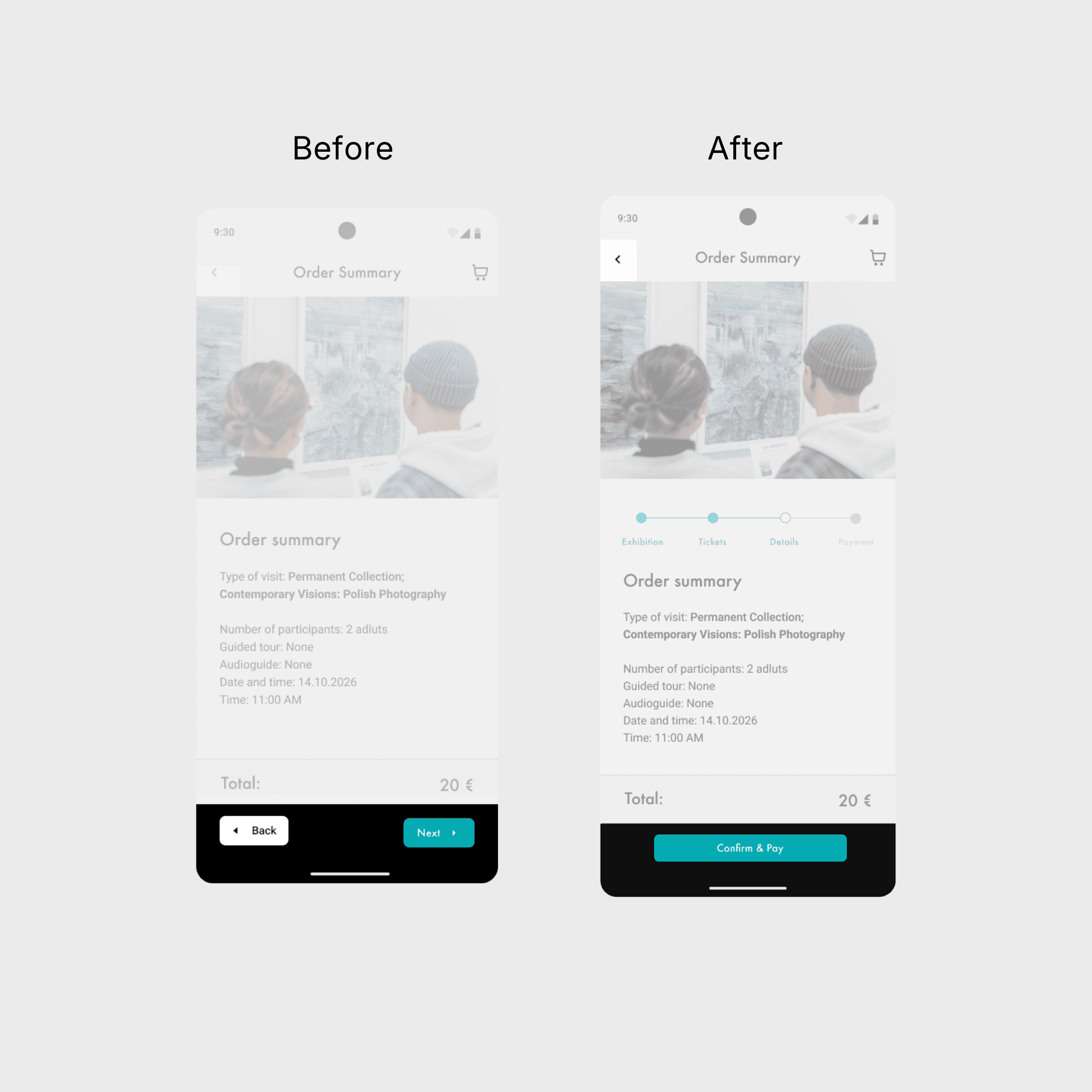
Microcopy & UX Writing
The initial flow relied on repetitive and generic labels such as "Next," which provided little guidance to users. These were replaced with clear, action-oriented labels that reflect each step of the process, improving clarity and user confidence.
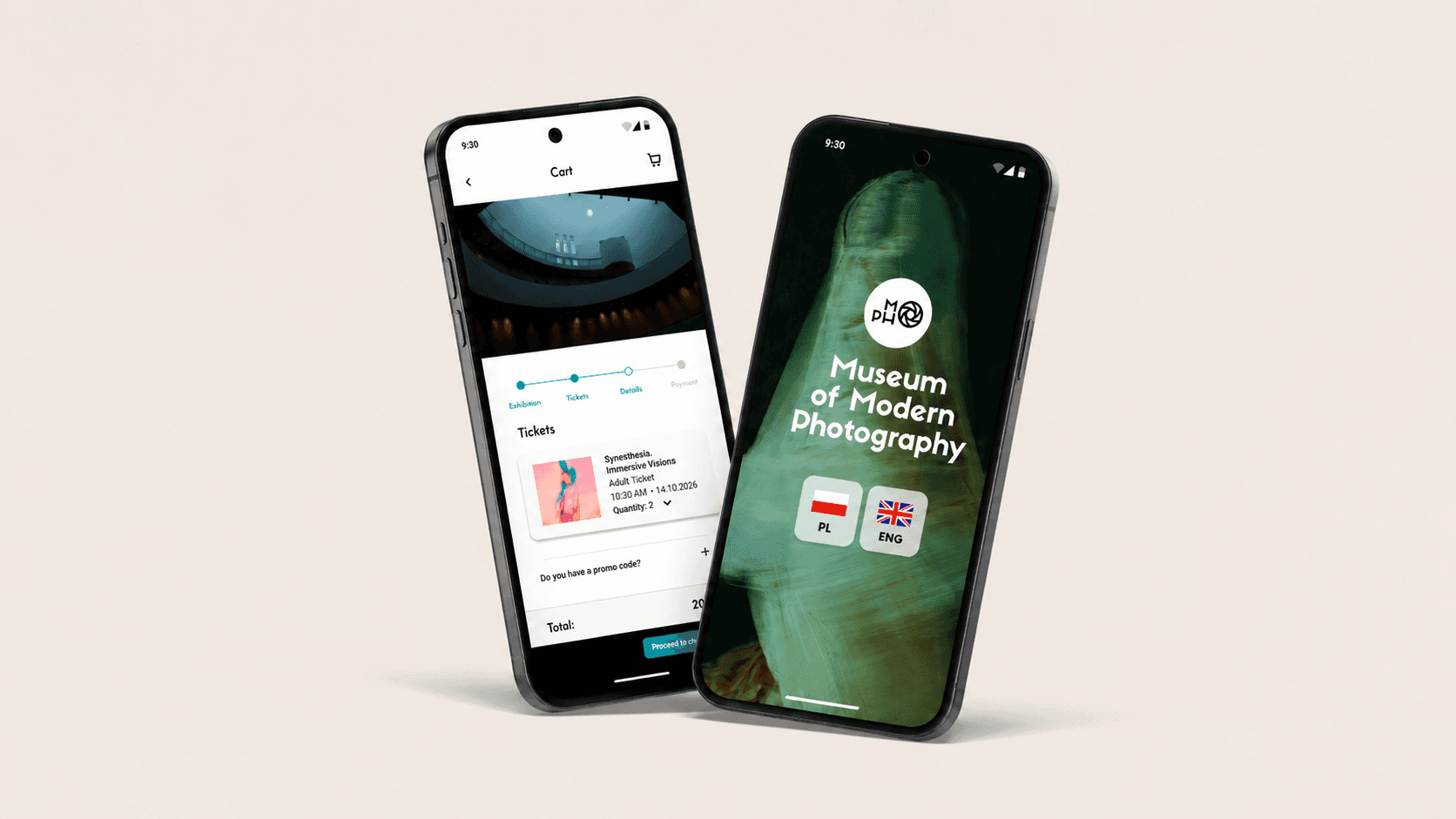
Final Outcome
From concept to a clear booking experience
Learnings
What this project taught me about product design
- Simplifying navigation significantly improves user experience
- Clear visual hierarchy is essential in content-heavy interfaces
- Small changes, like progress indicators, can greatly reduce user uncertainty
- Iteration is key to refining even simple user flows